- rename or remove bin/git.exe
- rename or remove git/git.exe
Showing posts with label git. Show all posts
Showing posts with label git. Show all posts
Monday, June 10, 2013
How to upgrade msysGit full
If you use msysGit full installer and want to upgrade from old one, there are two points to be noted.

Thursday, February 14, 2013
Visual Studio Tools for Git becomes perfect
Labels:
git
In this week, Microsoft has released Visual Studio Tools for Git 0.7.0.2. since this release VisualStudio for Git becomes perfect for 2 reasons.
- Visual Studio Tools for Git also supports Visual Studio Express 2012 for Web
- And since 0.7.0.2, this tool goes green on multi-byte environment. (see this article)
Saturday, May 26, 2012
Github for windows does not use our own MinGW
(continued from phosphorescence: Github for windows is close to (or crawls to) you)
 As you see, You can use Github for windows not only for managing your Github repository but also for managing your local repository.
Github for windows can customize preferences.
 But, there are no options about msysGit. In other words, while you have already your own msysGit, Github for windows installs completely another msysGit.

Github for windows can customize preferences.

Thursday, May 24, 2012
Github for windows is close to (or crawls to) you
The end is near. I hear a noise at the door,
as of some immense slippery body lumbering against it.
It shall not find me. God, that hand! The window! The window!
(from Wikiquote)
Github for windows is close to (or crawls to) you - Windows users. A few days ago, Github for windows has been released. For more information, please read this article:
This application is - in other words - just a msysGit with MetroUI.
Wednesday, February 29, 2012
I understand "git commit --amend"
Labels:
git
I had just known that the git command "git commit --amend" was existing. But I didn't know what it was and when/how I could use this. But when I have been researching about Bill of Rights in previous post, I understand it. Like as "amendments" re-define and re-design the last version of United States Constitution, "git commit --amend" re-defines and re-designs the last commit.
Thursday, September 29, 2011
"git show" nearly equals to "git diff"
Labels:
git
git diff has many options and these can do many features. And the most useful feature is to get latest diff.
> git diff HEAD^but, this feature has more useful alias: git show
> git show
Saturday, March 13, 2010
openSUSE Connect
I had known in openSUSE weekly news (in Japanese edition), openSUSE Connect has been launched.
It's the repository portal for openSUSE community built on gitorious.
It's the repository portal for openSUSE community built on gitorious.
Thursday, January 14, 2010
How to use git-completion on my openSUSE #2
(continued from phosphorescence: How to use git-completion on my openSUSE #1)
There are one more tips to use git-completion.bash conveniently. That is a PS1 hack. The way is written in git-completion.bash like below:
So I rewrite /etc/bash.bashrc.local to rewrite PS1, using bash's regexp.
Then command prompt becomes git-completion.bash ready.

There are one more tips to use git-completion.bash conveniently. That is a PS1 hack. The way is written in git-completion.bash like below:
# 3) Consider changing your PS1 to also show the current branch:
# PS1='[\u@\h \W$(__git_ps1 " (%s)")]\$ '
#
# The argument to __git_ps1 will be displayed only if you
# are currently in a git repository. The %s token will be
# the name of the current branch.
So I rewrite /etc/bash.bashrc.local to rewrite PS1, using bash's regexp.
test -s /etc/git-completion.bash && . /etc/git-completion.bash
[[ "$PS1" =~ ^(.*)(>|#|\$)(.*?)$ ]] && PS1="${BASH_REMATCH[1]}\$(__git_ps1)${BASH_REMATCH[2]}${BASH_REMATCH[3]}"
Then command prompt becomes git-completion.bash ready.

Friday, January 8, 2010
How to use git-completion on my openSUSE #1
Default repositories of openSUSE don't contain git-completion.bash So I manually integrate it into my openSUSE like below:
Then I can use git completion - git commands, branches, remote sites and so on. to be continued...
- Download the latest git-completion.bash from here
- save git-completion.bash in local: e.g. /etc/git-completion.bash
- In the /etc/bash.bashrc.local, write test -s /etc/git-completion.bash && . /etc/git-completion.bash
Then I can use git completion - git commands, branches, remote sites and so on. to be continued...
Saturday, August 29, 2009
install Chromium for Linux x86_64 on openSUSE
(continued from phosphorescence: Prepare to install Chromium for Linux x86_64 on openSUSE)
Let's start installation.
1st checkout depot_tools
2nd, checkout chromium with Git: this takes a time (in my case it took 1.5 minutes).
3rd, create gclient config file and edit.
4th, sync gclient: this takes a long time (in my case it took 15 minutes).
Finally, build the chromium for x86_64: make takes so long long times (in my case it took 1.5 hours).
And run the chromium.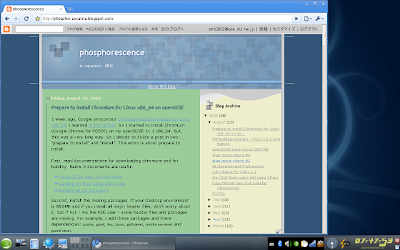
Speaking of shortcomings, all related files of chromium (source, tools and binaries) spend lots of disk space.
Let's start installation.
1st checkout depot_tools
> svn co http://src.chromium.org/svn/trunk/tools/depot_tools
...
> export PATH=`pwd`/depot_tools:"$PATH"
2nd, checkout chromium with Git: this takes a time (in my case it took 1.5 minutes).
> git clone --depth 1 git://git.chromium.org/chromium.git src
3rd, create gclient config file and edit.
> ./depot_tools/gclient config http://src.chromium.org/svn/trunk/srcThen I edit .gclient like below:
solutions = [
{ "name" : "src",
"url" : "http://src.chromium.org/svn/trunk/src",
"custom_deps" : {
# To use the trunk of a component instead of what's in DEPS:
#"component": "https://svnserver/component/trunk/",
# To exclude a component from your working copy:
#"data/really_large_component": None,
"src/third_party/WebKit/LayoutTests": None
},
"safesync_url": ""
}
]
4th, sync gclient: this takes a long time (in my case it took 15 minutes).
> ./depot_tools/gclient sync
Finally, build the chromium for x86_64: make takes so long long times (in my case it took 1.5 hours).
> ./src/tools/gyp/gyp -f make src/build/all.gyp -Dtarget_arch=x64
> cd src
> make CC="ccache gcc" CXX="ccache g++" -r BUILDTYPE=Release -j6 chrome V=1
And run the chromium.

Speaking of shortcomings, all related files of chromium (source, tools and binaries) spend lots of disk space.
> du -h --total /opt/chromium
...
2.4G    /opt/chromium
Subscribe to:
Posts (Atom)